Self-Drive Car Rental Cancellation and Refund Policy on Zoomcar
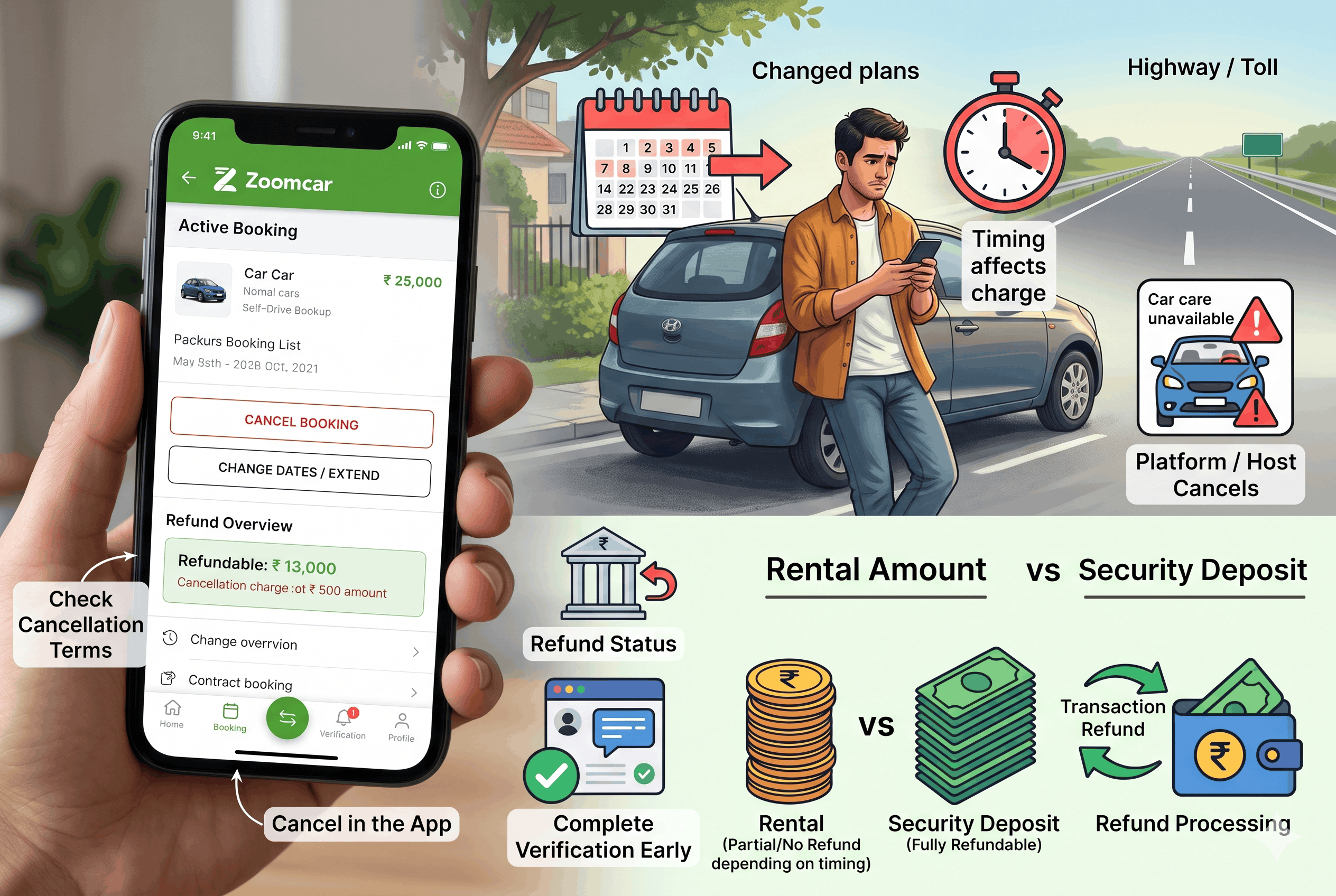
Plans change, and it helps to know what a cancellation will cost before you need to make one. On Zoomcar, the charge for cancelling depends on your booking, the car and how close you are to the trip start time. The exact amount is shown in the app before you confirm, so you are never asked to commit blind.
This guide explains what decides your refund, how the rental amount differs from the security deposit, what happens if the host cancels, and how to avoid unnecessary charges.
Quick Reference
1. What Decides Your Refund
These factors shape the amount you get back:
- Timing. The time left before the trip start time is a key factor in the cancellation charge.
- Who cancels. A guest cancellation and a host or platform cancellation follow different terms.
- Offers and discounts. A booking made with a promo code can carry its own conditions, so read the offer terms.
- Fees and taxes. Not every component of the price is treated the same way. Your booking summary shows what applies to you.
- Booking status. Whether the trip has started changes what can be refunded.
Zoomcar publishes its Fee Policy and booking terms for guests. Treat the cancellation screen in your own booking as the final word on the charge, since terms can differ by booking.
2. Rental Amount vs Security Deposit
These two are often confused, but they work differently.
- Rental amount. This is the price you pay for the booking, and cancellation charges are calculated on it.
- Security deposit. Where a deposit applies, it is held for the duration of the trip and released after it. Deductions for items such as traffic fines or damage found after the trip are made as per the booking terms.
- Taxes, delivery charges and add-ons. Whether these are refundable depends on your booking. Compare the price summary with the cancellation details.
3. If the Host or Platform Cancels
Sometimes the cancellation comes from the other side, for example when a host cannot hand over the car. Your booking details show the policy and refund that apply in that case. Contact support through the app as soon as you are notified so you can look for a replacement car for your dates.
If the car is not available at pickup, report it in the app straight away so the issue is on record.
4. How to Cancel a Booking
- Open the Zoomcar app and go to your booking.
- Check the available options: change, extension or cancellation.
- Review the cancellation charge shown for your booking.
- Confirm the cancellation only if you are happy with the amount.
- Note your booking ID and the refund details shown after cancelling.
Eligibility and charges depend on the booking and the cancellation policy in effect at the time.
5. When Will the Refund Reach You?
Refunds go back to the original payment method, and your booking shows the refund status. The time it takes can vary with your payment method and your bank or card provider, so check the status in the app rather than relying on a fixed number of days.
If the refund looks delayed, keep your booking ID, cancellation confirmation and payment details ready and contact support through the app. The Zoomcar guest FAQs also cover common booking and refund questions.
6. Change or Extend Instead of Cancelling
If your plans have only shifted, changing the dates or extending the trip may work better than cancelling. Changes depend on the car being available for the new dates, so request them early. Returning a car late without an approved extension can add charges. For the full booking flow, see our guide on how to rent a self-drive car in India.
7. How to Avoid Cancellation Charges
- Read the terms before you pay. Look at the cancellation details in the booking, not just the price.
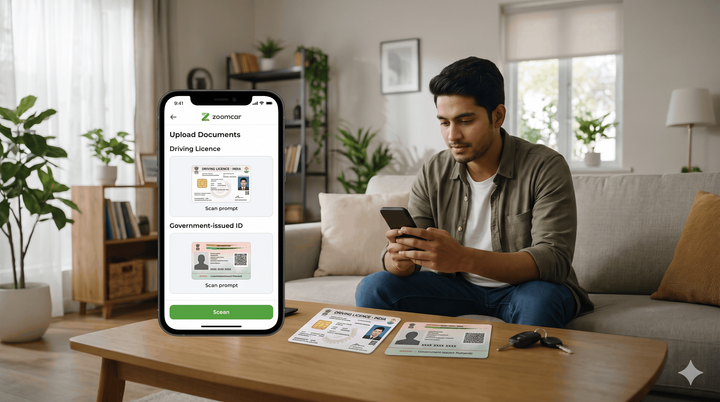
- Finish verification early. Upload your driving licence and ID well before the trip so an unverified account does not hold up your booking.
- Book when your plans are firm. If dates may change, leave time between booking and pickup.
- Cancel as soon as you know. Earlier notice usually means a smaller charge, as shown in your booking.
- Check the pickup details. Confirm the location and time so a mix-up does not become a no-show. Our road trip packing checklist covers what to check at pickup.
FAQs
Where can I see the cancellation charge for my booking? Open your booking in the Zoomcar app and start the cancellation. The applicable charge is shown before you confirm, and you can still step back if the amount does not suit you.
Is the security deposit refundable? Where a deposit applies, it is released after the trip. Deductions such as fines or damage follow your booking terms.
What if the host cancels my booking? Check the host cancellation details in your booking and reach out to support so they can help you find another car for your dates.
Can I change my dates instead of cancelling? Often yes, subject to car availability. The change and extension options are in your booking.
Can I cancel after the trip has started? Cancelling after the start time can affect how much of the rental amount is refundable. If something went wrong with the car or the handover, contact support in the app.
Where do I track my refund? The refund status appears against your booking in the app, and support can help if it looks delayed.
Conclusion
The simplest way to avoid surprises is to read the cancellation details before you pay and check the charge shown in your booking before you cancel. Complete verification early, keep your booking ID handy, and remember that the security deposit is handled separately from the rental amount.
Ready to plan your next trip? Search cars with Zoomcar’s self-drive car rental in India.